
PV planning from drone imagery
Drone images in. Plan-ready PV data out.
We turn roof and ground-mount drone captures into usable data for PV*SOL, Eturnity, PVcase, and downstream technical workflows. No raw-data overload, just files your planning team can open and use.
First project €0 · then from €45 depending on format · standard projects in 24–48 h
Model in the browser
Look first, then decide.
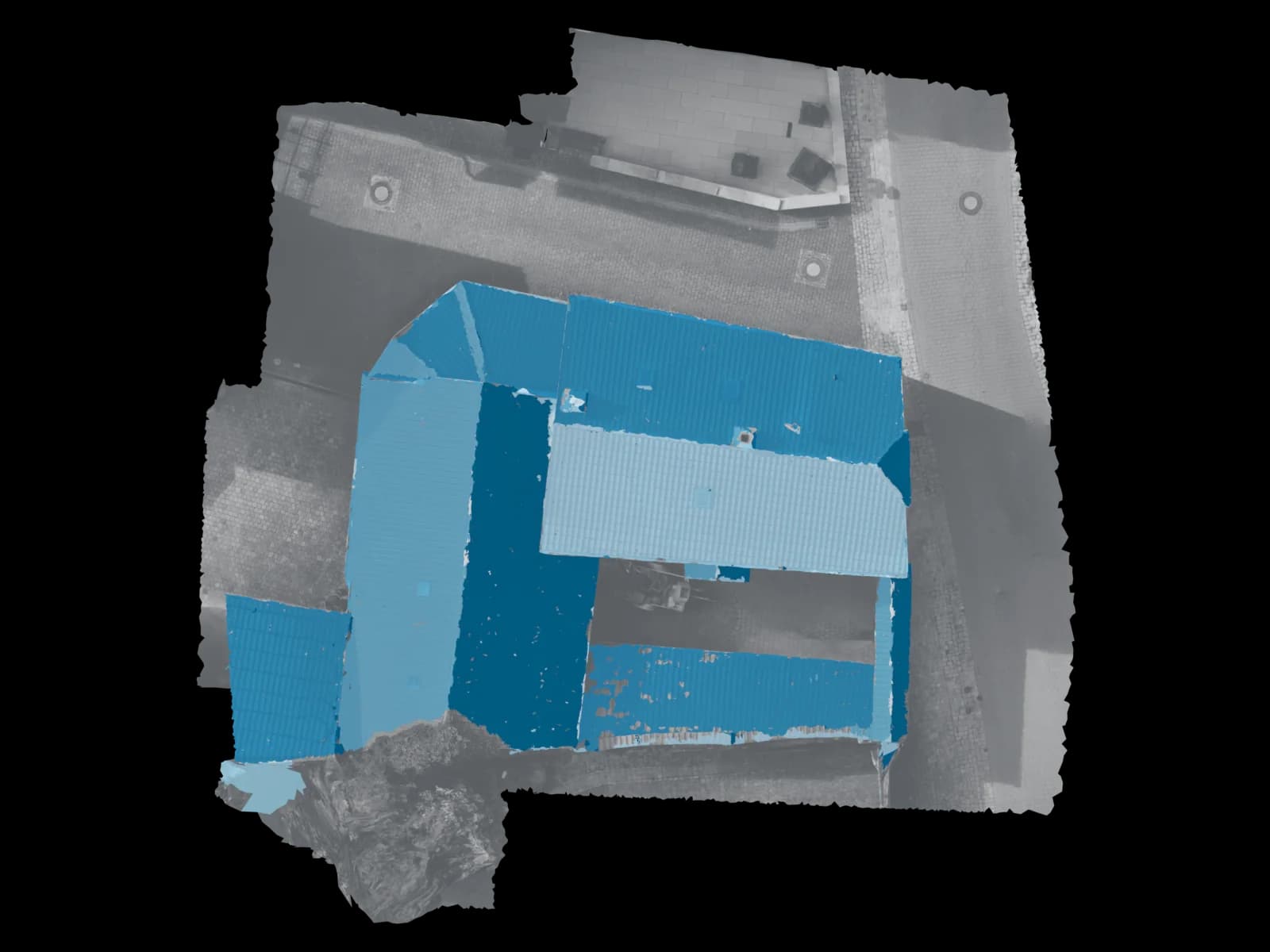
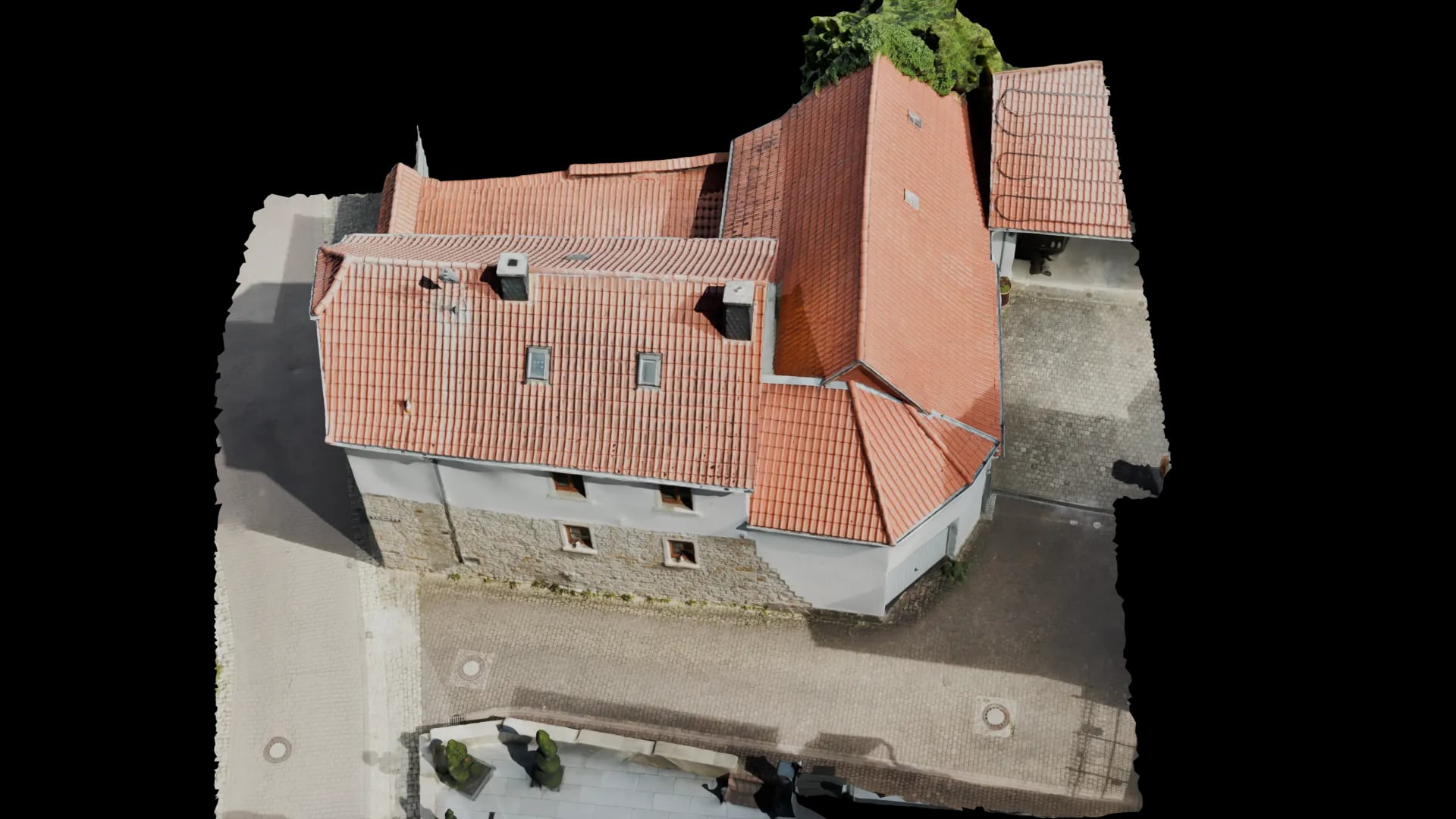
On the left a still of the finished model, on the right the same model as a 3D view in the browser. Drag the slider and turn the roof yourself.
- Input
- Drone photos
- Review
- A person checks every model before it ships.
- Delivery
- Browser link · PV*SOL · DWG
- Secure online payment
- No subscription for single projects
Ready to order
Start PV roof model directly.
Review the price, pay securely, then receive the upload link. For edge cases, we review the dataset before weak image sets are processed.
€45
up to 1,000 m². Pre-calculated: €45
PV-ready roof model
Ready for PV*SOL/Eturnity
No subscription for single projects
Free first project
Review one real PV roof for free.
For solar teams with existing imagery: create an account, upload drone images, and receive a checked roof model as a real decision basis.
No card. No subscription. Upload opens in the dashboard after account creation.
Upload after account
Drone images
You create the account, then upload the first dataset through the protected project flow.
Format
PV*SOL · Eturnity
We check which format fits sales, planning, or review in the browser.
Decision
24-48h
For simple roofs, you quickly get a usable basis for repeat work.
Small start, real signal
Test one real roof for free, then scale.
New customers decide faster when they do not land in another consulting loop. The free first project turns an existing image set into a concrete decision basis.
You see on your own dataset whether quality, speed, and delivery fit your proposal workflow.
Typical uncertainty before starting
- Unclear whether existing drone images are enough for a dependable roof model.
- Uncertainty about which delivery formats are really needed for sales and planning.
- Concern about unnecessary costs from reflights or the wrong project start.
What you know after the first project
- You see a reviewable result from one real roof.
- You know which package fits PV*SOL, Eturnity, or review in the browser.
- You can decide on follow-up work with a result, not a demo promise.
Outcome
What the free first project actually proves
- Input
Drone imagery
Existing captures or flights based on our checklist.
- Processing
3D + conversion
Photogrammetry, quality review, and Blender-based preparation.
- Result
Plan-ready PV data
Models and orthodata in the format your software opens.
PV delivery package
Built for real PV workflows
The same core pipeline produces different outputs depending on how your planning team needs to keep moving.
01
PV*SOL roof model
When drone imagery needs to become an import-ready 3D model for roof planning, shading, and layout work.
- 3D model prepared for PV*SOL workflows
- Clean data base for roof projects
- Standard projects delivered in 24–48 h
02
Eturnity workflow
For teams that need a workable model for consulting, monitoring, or offer-driven sales processes.
- Model preparation for Eturnity-based workflows
- Browser view plus technical files when needed
- Fits fast sales and planning cycles
03
PVcase ground mount
For ground-mount projects where elevation, grid points, and topographic foundations matter most.
- Topographic basis for ground-mount planning
- Grid points and line data depending on dataset
- Matched to the next planning step
04
Orthophoto & site baseline
When you also need a georeferenced 2D foundation for surveying, documentation, or project alignment.
- Orthophoto for SPT or coordination
- Georeferenced project base
- Useful for review and project communication
Focus
Roof or ground-mount: same core, different output
We do not split the offer into fake industries. We split it by the downstream workflow your data must support after delivery.
Roof workflows
For solar installers, planning offices, and sales teams that need reliable planning data on buildings fast.
- PV*SOL-ready 3D models
- Eturnity-oriented model preparation
- Viewer links for internal and external approvals
- Optional georeferenced 2D base where useful
Ground-mount workflows
For utility-scale projects where topography, orthodata, and clean delivery into PVcase or downstream planning are critical.
- PVcase-oriented data base
- Grid points, contour logic, or orthophoto depending on scope
- Suitable for larger sites and technical alignment
- Clear package structure for downstream teams
Process
How a PV project moves through the pipeline
Four steps from upload to file. You know the process before the first project starts.
1. Align on dataset and target software
We first verify whether your project targets PV*SOL, Eturnity, PVcase, or another format and whether the captures support that outcome.
2. Process imagery and build the data base
Your drone images are reconstructed into the technical base. After that, the project is cleaned up, trimmed, and converted for the use case.
3. Manual quality review
We do not pass along unchecked raw files. Before delivery, we review whether the dataset and the output fit the agreed target.
4. Delivery in your format
You receive the package in the form your team actually needs: browser view, model, orthodata, or technical documentation files.
Software & delivery
What your delivery can include
Not every project needs the same package. These are the most common delivery shapes requested by PV teams.
3D view in the browser
For fast alignment with sales, clients, or planning without local specialist software.
- Browser link
- Measurement and review basis
- Shareable with internal and external stakeholders
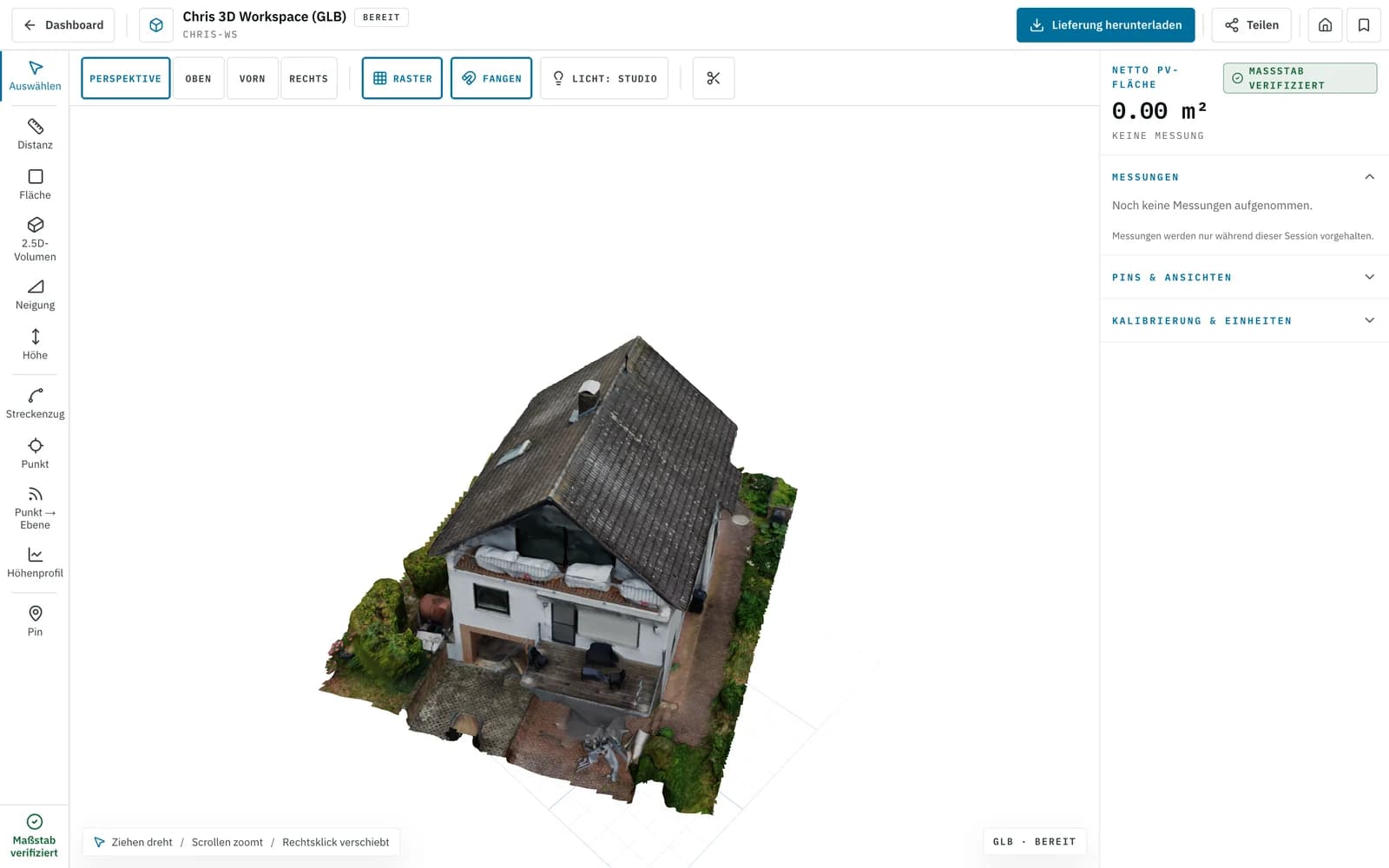
Screenshot · 3D viewer PV model for your software
When the result must move straight into planning instead of just being viewed.
- Prepared for PV*SOL or Eturnity
- Aligned with the agreed workflow
- Clean structure instead of raw-data folders
Roof planes · real model Topography & orthodata
For ground-mount planning, site baselines, and technical documentation around the PV project.
- Georeferenced orthophoto
- Grid points and elevation information depending on scope
- Usable for downstream planning and technical review
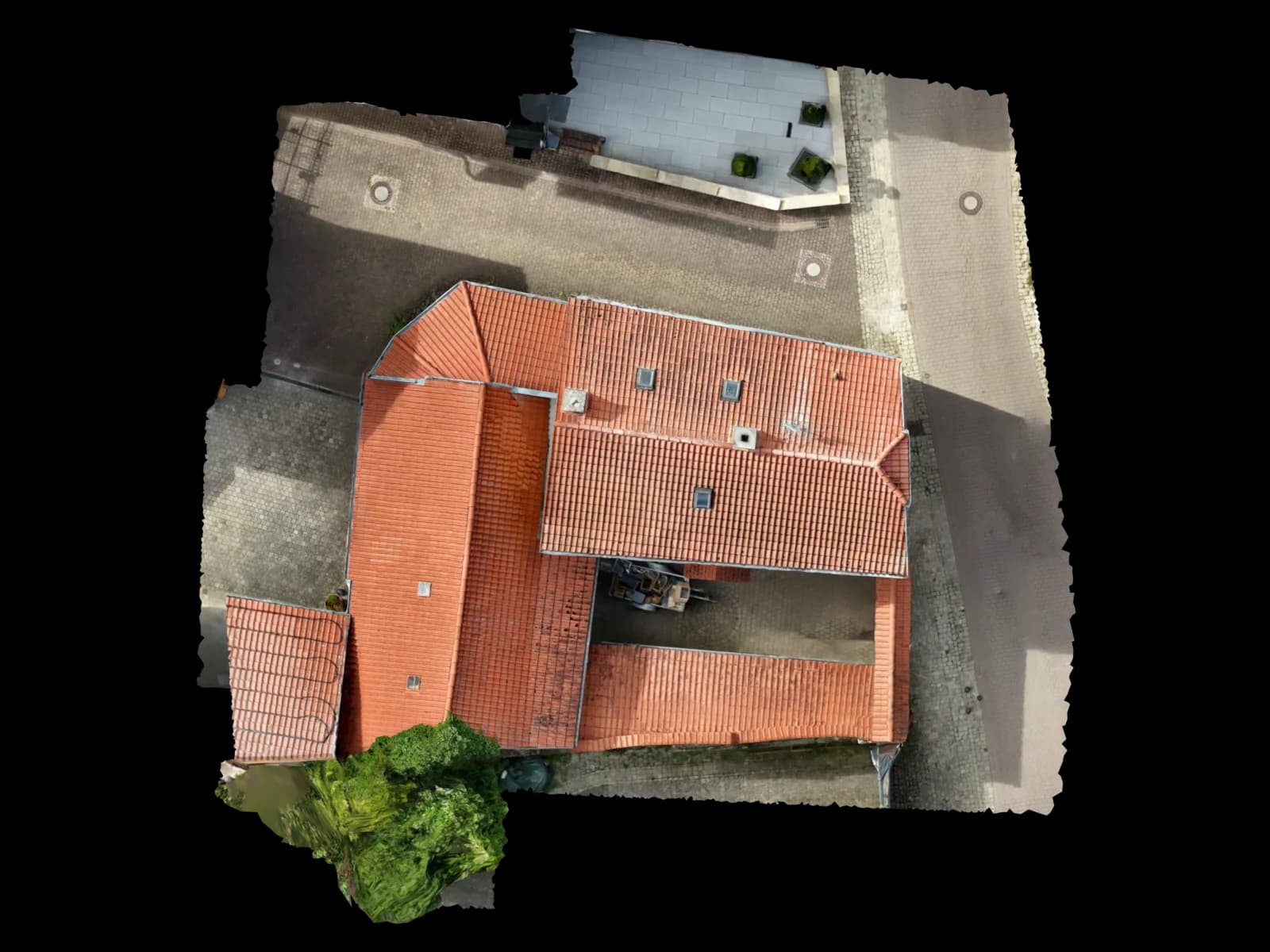
Top view · real model
What exactly ships depends on dataset quality, drone setup, and the agreed format.
FAQ
Frequently asked questions about PV planning
Do you only support roof systems or also ground-mount projects?
Do I need a specific drone?
Will I get raw data or a finished result?
How fast is delivery?
More Solutions
Next step
Start with one real PV roof instead of a demo
First project free: create an account, upload drone imagery, and test whether Voxelia fits your PV workflow. Follow-up work starts with the €45 pilot.
First project without a credit card · then from €45 per project · no subscription needed