
Why 3D Modeling is Redefining Planning Standards
Creating 3D roof models for PV*SOL Premium is no longer optional – it is the foundation of every investment-grade photovoltaic project planning.
In today's energy landscape, photovoltaic system planning has evolved from a simple trade skill to a highly precise engineering discipline. At the center of this transformation is the need to translate complex physical and economic variables into a coherent simulation model – ensuring investment security for all stakeholders.
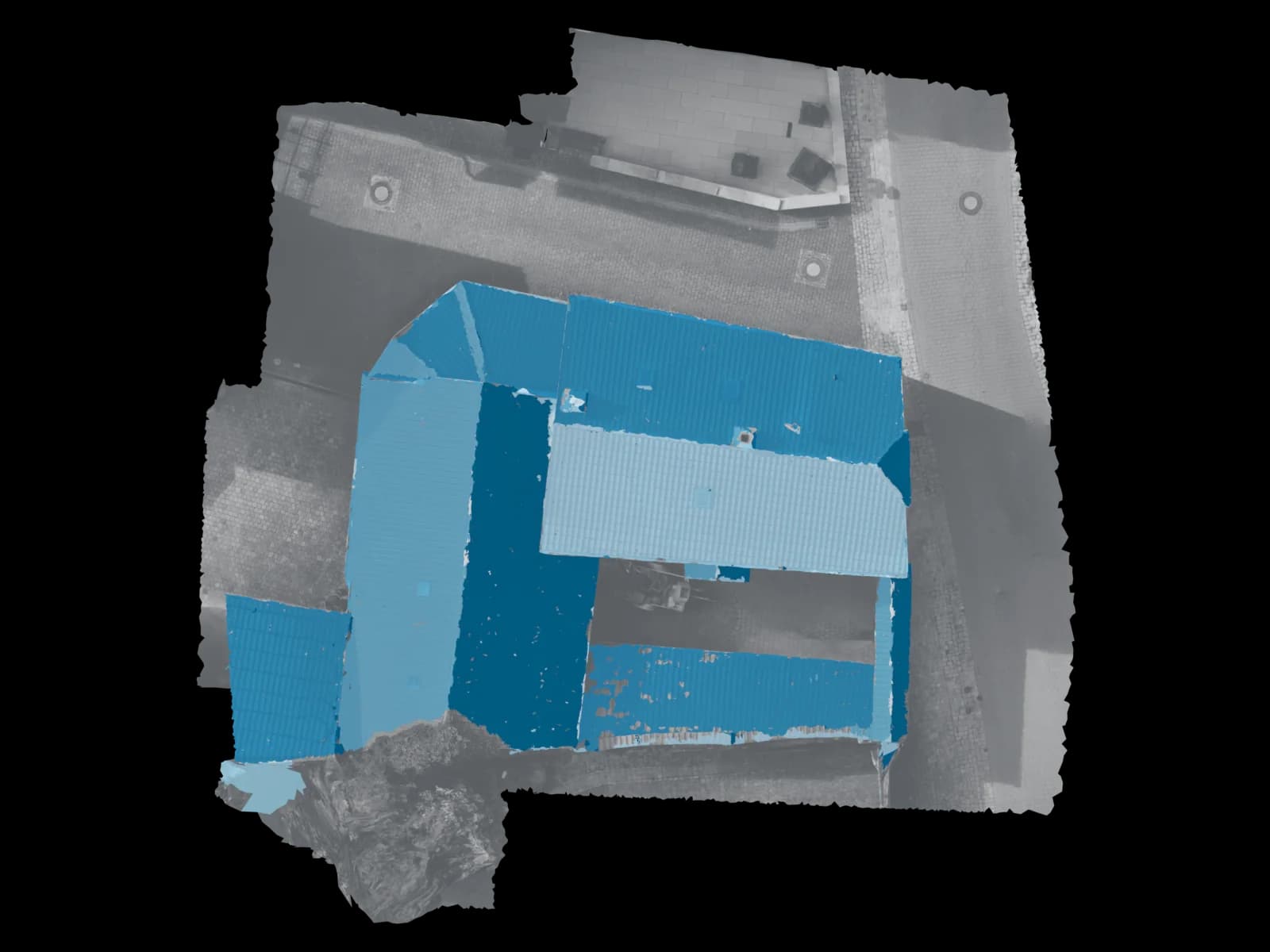
While conventional 2D planning methods quickly reach their limits with complex roof geometries, varying tilt angles, or significant environmental obstacles, three-dimensional modeling enables a 1:1 representation of reality.
| Figure | Meaning |
|---|---|
| 7,500 | max elevated modules in PV*SOL |
| 10,000 | roof-parallel modules visualizable |
| 8,000+ | weather datasets for site-specific simulation |
| 100% | time-step accurate shadow simulation |
From Sketch to Digital Twin
Where low-resolution satellite images were once used for initial estimates, today's methods like drone-based photogrammetry or LiDAR-assisted scans enable centimeter-level precision. This data forms the basis for import into PV*SOL Premium – software specifically designed to calculate shading based on real 3D geometry.
The software calculates the exact shadow cast of every object for each individual time step of the year – from chimneys to satellite dishes to distant church towers or neighboring buildings. This is critical, as shading of individual cells or substrings can massively influence the IV characteristics of an entire module string.
“The algorithmic depth of the software allows simulation of mismatch losses and thermal degradation of modules under specific ventilation conditions.”
— Technical Documentation PV*SOL Premium, Valentin Software
| Component | Influence | Planning Relevance |
|---|---|---|
| Roof Geometry | High-precision area calculation | Avoiding installation problems |
| Shading Objects | Centimeter-accurate shadow simulation | Realistic yield forecast |
| Load Profiles | Matching production & consumption | Maximizing self-consumption |
| Climate Data | 8,000+ weather datasets | Site-specific simulation |
Mathematical Foundations of Yield Simulation
The yield forecast is based on precise determination of irradiance on the tilted plane. The so-called Incidence Angle Modifier (IAM) plays a role here – it describes the loss due to reflection at shallow angles of incidence. The modeling also considers the temperature-dependent power change of modules, expressed by the temperature coefficient PMPP in %/K.
A professionally created 3D model provides the geometric input variables (tilt β and azimuth γ) essential for calculating global irradiance on the module surface.
Payback Period=Investment CostsAnnual Savings (Self-consumption) + Revenue (Feed-in)
Feed-in tariff approx. 8.2 ct/kWh · Grid avoidance approx. 32 ct/kWh
Precision as Competitive Advantage
The quality of a 3D roof model stands and falls with the quality of the underlying data. Drone photogrammetry has established itself as the superior method.
Professional systems – especially with RTK support (Real-Time Kinematic) – enable centimeter-accurate capture of the building and its surroundings. The drone flies the object automatically and creates hundreds of high-resolution images from different angles, which are then assembled into a precise point cloud or mesh.
| Feature | Drone Photogrammetry | Satellite Data | Manual Survey |
|---|---|---|---|
| Accuracy | 1–3 cm (RTK) | 50 cm – several meters | Tool-dependent |
| Currency | Real-time (flight day) | Often months/years old | Current |
| Cost per project | from €45 (service) | Low to free | High (time cost) |
| Environment capture | Complete (trees, neighbors) | Limited, rough 3D | Immediate area only |
| PV*SOL importable | Yes – ready to import | Not possible | Manual input needed |
| Safety | Very high (no roof access) | Very high | Fall risk |
| Flight time | <20 minutes | Instant | 1–3 hours |
The 10-Step Import into PV*SOL Premium
Importing drone data into PV*SOL Premium follows a standardized process. Those who know this process – or outsource it to specialists – gain a decisive time advantage over manual planners.
File Preparation
The .obj, .mtl and associated texture file (.png/.jpg) must be in the same local directory. File size under 250 MB, vertices under 500,000.
Map Alignment in PV*SOL
Load the map section of the object to ensure georeferencing and north orientation.
Open Import Dialog
Select the local .obj file via the "3D Models" menu and start the import.
Map Placement
Place the model on the map via drag-and-drop and roughly align it.
Precise Alignment
Double-click on the model to set the azimuth to the exact degree. Critical for correct yield calculation.
Activate Coverage Areas
Identify relevant roof areas in the model and "activate" them for module placement.
Define Exclusion Zones
Mark windows, chimneys and areas with structural limitations as exclusion zones.
Module Selection
Select the desired PV module from the extensive component database.
Automatic Coverage
Software automatically covers the activated areas considering edge distances and maintenance paths.
Start 3D Shading Analysis
Start the detailed analysis with one click – result: percentage yield loss per module for each time step of the year.
Import Formats and Their Technical Limits
PV*SOL Premium has supported importing external 3D models since version 2018. The choice of file format affects stability, loading time and quality of shading simulation. Every additional polygon increases computational load, as the software must check for each point whether it lies in the sun's path.
| Format | Name | Description | Note |
|---|---|---|---|
| .obj | Wavefront Object | Most widely used exchange format. Stores geometry and texture data separately in .obj + .mtl + texture file. | Most recommended |
| .dae | Collada | Recommended for complex shading scenarios. Supports complete scene descriptions including lights and materials. | Stable shadows |
| .skp | SketchUp | Direct support or easy export via plugin. Popular for as-built documentation and architectural models. | Architecture |
| .stl | Stereolithography | For purely geometric models without textures. Simple format, but no UV mapping – geometry only. | Geo only |
Supported formats in the Voxelia delivery:
Outsourcing vs. In-house Modeling
For solar companies, the key economic question is: build competence in-house or engage specialized service providers? The decision has far-reaching consequences for scalability and cost structure.
| Item | In-house Solution | Outsourcing (Voxelia 3D) |
|---|---|---|
| Software Licenses | ~€1,295/year | Basic license sufficient |
| Drone Hardware | €1,350–7,450 | €0 acquisition |
| Personnel | several hours | upload only |
| Training Costs | ongoing | none |
| Scalability | internal bottleneck | unlimited |
| Project Price | hard to calculate | from €45 |
Especially for fast-growing companies, outsourcing is a lever for efficient growth. During peak times, hundreds of projects can be processed in parallel without the internal planning department becoming a bottleneck. Professional modelers immediately recognize inconsistencies in source data (e.g., motion blur) and correct them – before flawed planning goes into construction.
Cost Structures and Payback Periods 2025/2026
Precise 3D planning is not an end in itself – it serves to maximize profitability. The costs for photovoltaic systems in Germany 2025/2026 show: planning precision secures long-term yields.
| System Size | Cost/kWp (net) | With 10 kWh Storage | Self-consumption Potential |
|---|---|---|---|
| 5 kWp | €1,300–1,800 | €1,800–2,500 | ~40–55% (residential) |
| 10 kWp | €1,100–1,500 | €1,500–2,200 | ~50–65% (with storage) |
| 20 kWp | €900–1,300 | €1,200–1,700 | ~60–80% (commercial) |
Investment-grade 3D plans are often a prerequisite for financing by banks or funding institutions like KfW (Credit 270). Precise yield forecasts reduce risk for the lender – which can lead to better conditions.
ROI Calculator: Your Savings at a Glance
Calculate how much time and money your business saves per month by outsourcing 3D modeling – and when the switch pays for itself.
- 50 hHours saved / month
- 2.450 €Euros saved / month
- 29.400 €Euros saved / year
FAQ on 3D Modeling for PV*SOL
What file formats does PV*SOL Premium support for 3D import?
How many vertices can a 3D model have for PV*SOL?
What to do with import errors in PV*SOL?
Is outsourcing 3D modeling worth it for solar installers?
What is the difference between PV*SOL Premium and alternative tools?
Are 3D plans a prerequisite for KfW funding?
Sources & further reading: Valentin Software – PV*SOL Premium · BSW Solar – Marktdaten · KfW Kredit 270 · EU JRC PVGIS Solar Tool · LBA – Drohnenregulierung