
Managed 3D conversion service for viewer links
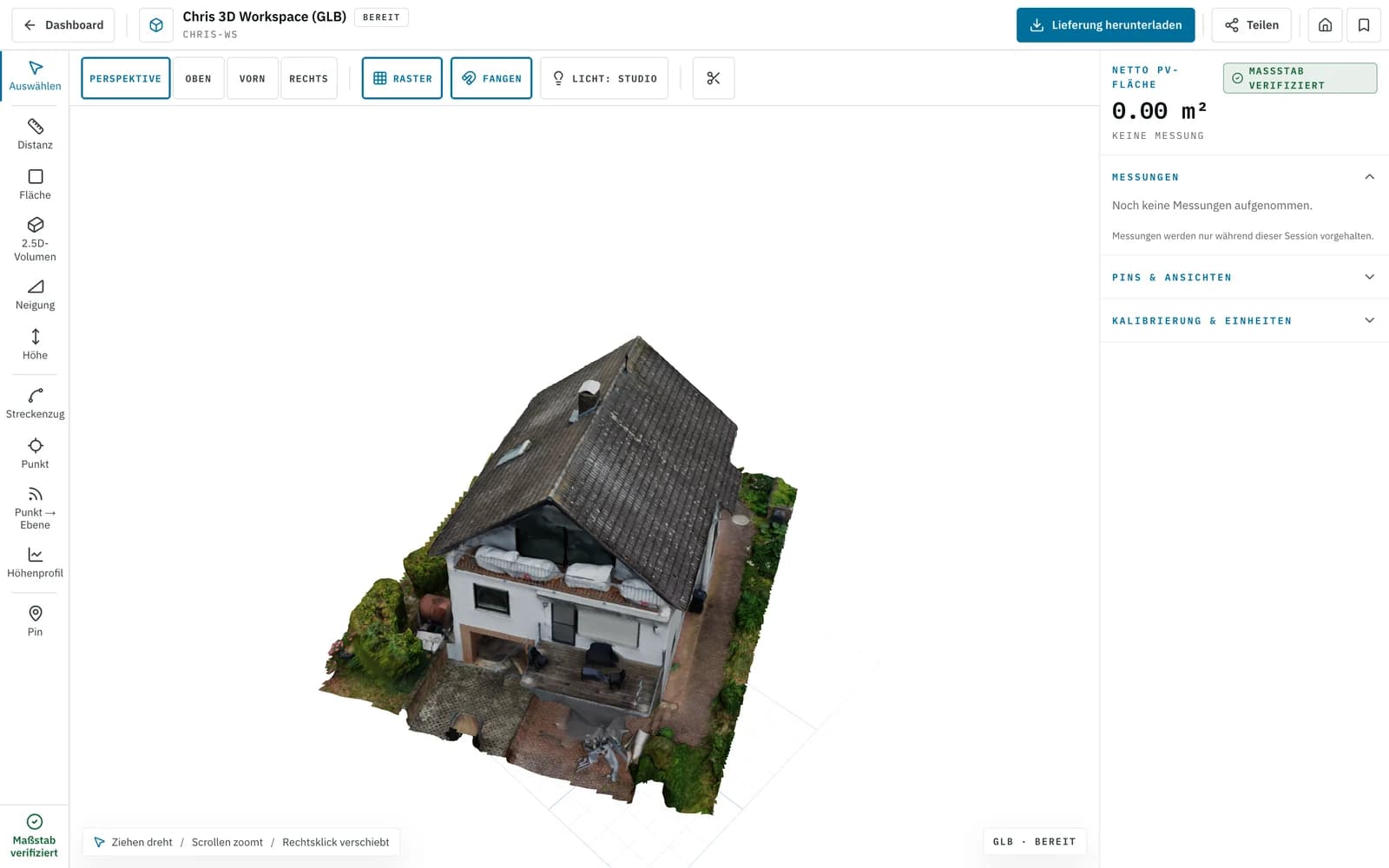
3D viewer links from drone imagery
We turn drone captures into web-ready 3D models with shareable viewer links. That makes it easier for sales to present, for technical teams to review quickly, and for teams to compare visual status over time without raw-file chaos.
First project €0 · then from €45 depending on format · standard projects in 24–48 h
In practice
What teams actually use viewer links for
Not as a flashy demo with no purpose, but as a fast shareable 3D view for quotes, reviews, and documented visual checks.
- Share instead of explaining
- A single link gives stakeholders shape, placement, and context faster than screenshots, ZIPs, or long email chains.
- Browser instead of specialist software
- Stakeholders can inspect the model without needing a CAD seat or a dedicated 3D tool.
- Fresh viewer states from fresh captures
- When new drone imagery arrives, we can prepare updated viewer states for another visual review cycle.
01
Sales and client approvals
Show a roof, building, or asset as a clear 3D context instead of a loose set of images. That helps during quoting, alignment, and early approvals.
- Faster understanding for clients and internal decision-makers
02
Technical review
Project leads, planners, or clients can inspect the model directly in the browser and respond faster when something looks right or needs another pass.
- Fewer back-and-forth loops before the next planning step
03
Monitoring and visual checks
For repeated drone captures, we can prepare updated viewer states so visible changes are easier to compare and document.
- Useful for documented before-and-after comparisons
Delivery
What you actually get
Not a made-up platform claim, but a clear managed-service delivery for fast 3D visibility and review.
You get
- A shareable browser link for internal or external review
- A 3D model optimized for web viewing
- One link for sales, project leads, or client approvals
- Optional stills, screenshots, or additional exports for downstream workflows
Honest positioning
- Managed service, not a self-serve viewer builder
- Fast browser review, not a replacement for full CAD work
- Repeated visual checks from new data are possible, but this is not 24/7 live monitoring
Typical fit
Especially useful when several stakeholders need to see the same model quickly without coordinating raw files, large downloads, or software licenses.
Workflow
How a viewer project works
The process is intentionally simple: data in, model prepared, link out.
Send drone imagery
You send the imagery and the review context. We check whether the dataset is suitable for a clean viewer delivery.
Prepare the model for the web
We reconstruct, clean, and optimize the model for fast loading and easier review.
Share the viewer link
You receive a viewer link for sales conversations, internal approvals, or documented visual checks.
FAQ
Frequently asked questions about 3D viewer links
The main questions we hear from sales, project leads, and review stakeholders.
Do all stakeholders need specialist software?
Is this a self-service platform?
Is this live monitoring?
Can I request additional outputs as well?
More Solutions
Next step
Request a viewer link for your project
If you already have drone imagery and need a presentable 3D viewer quickly for review or approvals, this is the right entry point.
First project without a credit card · then from €45 per project · no subscription needed