
What is Photogrammetry?
Photogrammetry is a measurement and imaging technology that reconstructs a precise 3D model from overlapping 2D images. Unlike other 3D capture methods (Lidar, radar), photogrammetry works with standard cameras and requires no specialized hardware.
The name comes from Greek: photo (light) + gramma (drawing) + metry (measurement). The process analyzes pixel positions in multiple images to calculate spatial coordinates from them.
Drones revolutionize this process: they enable buildings, terrain, and infrastructure to be systematically captured from above — faster, more cost-effective, and with higher accuracy than manual surveying methods.
How Does Drone Photogrammetry Work?
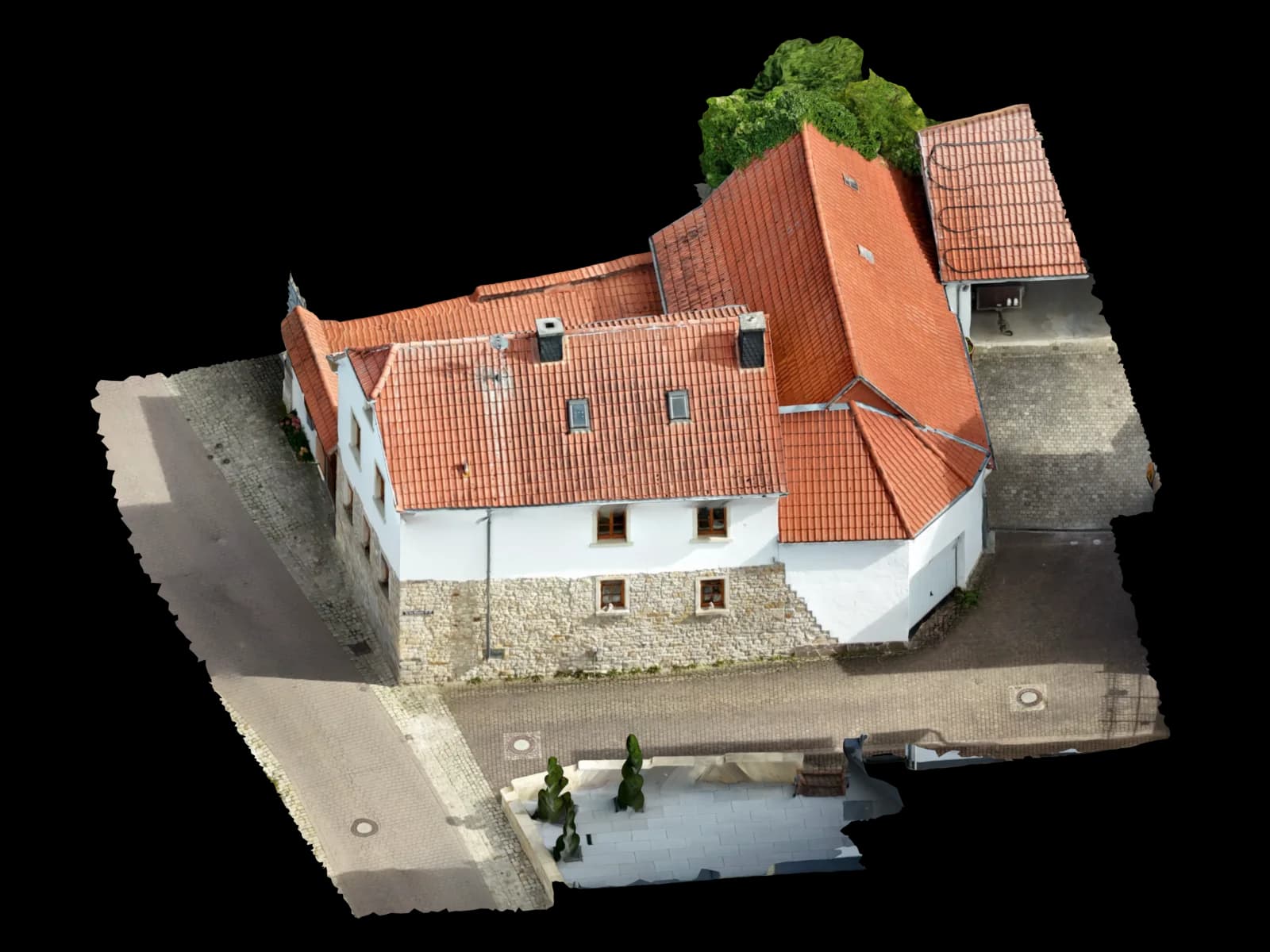
The process runs in three phases: (1) data acquisition with the drone, (2) image alignment and point cloud generation, (3) mesh generation and texturing for the final model.
In phase 1, the drone flies systematic flight patterns over the object and documents it from various angles and altitudes. The software recognizes overlapping areas between adjacent images.
Phase 2 is the core: the Structure-from-Motion algorithm (SfM) finds identical image points (features) in multiple images and triangulates them spatially. The result is a "point cloud" — millions of 3D coordinates.
Phase 3 connects these points into a coherent mesh and overlays the original textures. The finished 3D model can then be imported into CAD, BIM, or planning software.
Structure-from-Motion (SfM) – the technology in detail
Structure-from-Motion (SfM) is an automated process for reconstructing 3D scenes from image sequences. The algorithm works in four steps: (1) Feature Detection — identifying distinctive points in each image; (2) Feature Matching — mapping the same points between images; (3) Pose Estimation — calculating drone positions for each capture moment; (4) Triangulation — calculating 3D coordinates from matched image points.
Hardware Required for Photogrammetry Drones
Photogrammetry places specific demands on the drone and camera. A consumer drone with autofocus can work, but for accuracy better than 5 cm, professional hardware is needed.
The main requirements: (1) global shutter to avoid motion distortion, (2) high-quality optics for sharp details, (3) RTK or PPK for positional accuracy, (4) a large sensor for low noise.
| Component | Requirement | Reasoning |
|---|---|---|
| Drone & Gimbal | Global Shutter, 1-inch sensor (or larger), mechanical gimbal | Rolling-shutter cameras create distortions during movement that destroy the 3D model. A larger sensor has less noise. |
| RTK/PPK Module | Optional, but recommended for accuracy better than 2 cm | Standard GPS has 2–5 m error. RTK reduces it to 1–3 cm and eliminates manual control points. |
| Storage & Battery | At least 64GB microSD, spare batteries for longer flights | A single survey flight generates 200–500 images at 20–40 MB each = 4–20 GB per project. |
| Landing Stations (optional) | For fully automated missions with hotspot charging | Saves time on repetitive deployments (e.g., monthly inspections). |
Photogrammetry Software Overview
There are various software solutions for data processing — from free open-source tools to professional suites. Here are the main options:
| Software | Type | Strengths |
|---|---|---|
| Pix4D | Cloud-based & Desktop | Easy to use, automated workflow, good export formats for GIS/CAD. Price: from €150/project or €150–300/month subscription. |
| Agisoft Metashape | Desktop (Windows/Mac/Linux) | Precise SfM engine, Lidar support, DEM/orthophoto export. Price: €3,500 single license or €700/year subscription. |
| DJI Terra | Desktop or Cloud | Optimized for DJI drones, free for basic use. Price: free, with premium subscription ~€50–100/month. |
| RealityCapture | Desktop (local processing) | Fast GPU-accelerated processing, excellent texture quality. Price: ~€4,500 license. |
| CloudCompare / OpenDroneMap | Open-Source (free) | Free, self-hosted, excellent for point cloud post-processing. Slightly steeper learning curve. |
Typical Use Cases
Photogrammetry is versatile. Here are the most common applications and their requirements:
| Use case | Accuracy | Equipment | Timeframe |
|---|---|---|---|
| Solar Planning & PV Design | ±1–2 cm (RTK) | DJI Mavic 3E RTK or M350 RTK | 1–2h flight, 12–24h processing |
| Roof Survey & As-Built Documentation | ±2–5 cm | DJI Mini 4 Pro or Mavic 3E | 30min flight, 2–4h processing |
| Site & Construction Survey | ±5–10 cm (medium-term) | Any drone with decent camera | 1–2h flight, 4–8h processing |
| Archaeological & Heritage Documentation | ±1 cm (highest precision) | Professional RTK drone + manual control points | 2–5h flight, 24–72h processing |
| Infrastructure Inspection (Bridges, Power Lines) | ±2–3 cm | Medium-sensor drone with zoom | 2–4h flight, 8–16h processing |
| Mining & Volume Calculation | ±5–10 cm, large-scale | Drone with multi-spectral camera optional | 2–4h flight, 12–48h processing |
Accuracy and Practical Limits
Photogrammetry can achieve accuracy of ±1–2 cm under ideal conditions. But there are limits:
Smooth or featureless surfaces (e.g., white walls) lead to missing features and reconstruction errors. Heavily moving vegetation complicates feature recognition. Extreme height differences (e.g., steep slopes) require special flight patterns.
Weather-related issues: strong wind causes image blur; clouds lead to inconsistent lighting and poor feature matching; rain damages the camera lens.
Software-dependent: a 1 cm GSD doesn't automatically mean 1 cm accuracy in the final model. Actual absolute accuracy depends on RTK/GCP referencing, image quality, and algorithm calibration.
When Does a Service Make Sense? Voxelia as Alternative
Many companies think: "We buy a drone and software, and save costs." But that's often not true. DIY photogrammetry is time-consuming, requires technical expertise, and ties up resources.
A service takes over complete processing: image validation, algorithm tuning, quality assurance, and final export. After a few projects, this saves you money because overhead decreases.
Voxelia delivers a ready-to-use 3D model in 12–24 hours — in exactly the format you need (OBJ, FBX, IFC, STL). Quality is guaranteed, not dependent on your drone experience.