
Which roof area do you actually need?
In practice, “roof area” can mean the footprint, the real sloped surface, one roof face, usable PV area or a CAD/BIM quantity. The distinction matters for offers, material takeoff, PV layout and technical delivery.
Voxelia does not sell the flight itself. We process supplied or existing imagery into 3D roof models, orthophotos, CAD linework and export data, then state which surfaces are measurable and which should only be used for orientation.
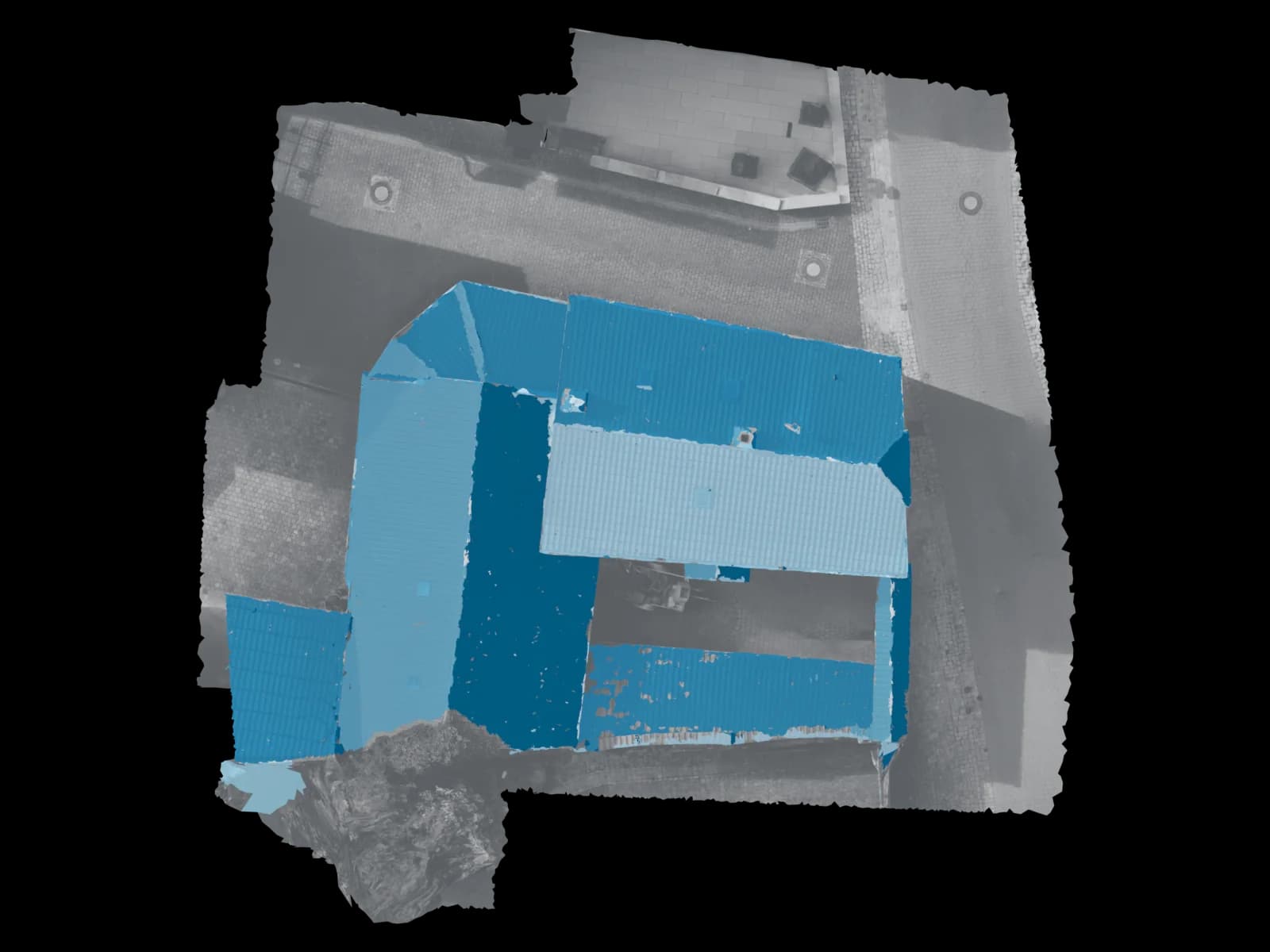
Why a 3D roof model is stronger than a single aerial image
An orthophoto is useful for plan position and documentation, but it is still a projection. Sloped roof surfaces need 3D geometry: planes, heights, edges, tilt and orientation.
PVGIS and NREL/SAM describe PV geometry with tilt and azimuth. A clean 3D roof model can derive those parameters per roof face instead of guessing them from a flat image.
Formulas and area types
For a simple planar roof face, the common formula is: sloped area = horizontal projected area / cos(roof pitch). It is valid for a single plane, but not a shortcut for complex roofs, dormers or unclear roof edges.
A better workflow splits the roof into faces. Each face gets its own polygon boundary, tilt, azimuth and exclusions where needed.
| Use case | Formula / logic | Best for | Limit |
|---|---|---|---|
| Simple sloped roof face | A_sloped = A_horizontal / cos(α) | Quick check of a planar roof face with known pitch | Only reliable when the face is planar and the projected boundary is correct. |
| Gable roof with two faces | A_total = A_1 + A_2 | Separate north/south faces, azimuths or layouts | Dormers, chimneys, roof windows and overhangs need separate handling. |
| Usable PV area | A_net = A_sloped - restricted zones - setbacks | Module layout pre-planning and obstruction checks | Setbacks and regulatory constraints depend on the project and do not replace PV design. |
How Voxelia derives roof areas from supplied imagery
The workflow starts with dataset review: sharpness, overlap, EXIF/XMP metadata, roof edge coverage, reference dimensions and visibility from multiple angles.
Then a suitable 3D model, point cloud, mesh and orthophoto basis is created. Roof faces are segmented, edges are checked and the model is scaled with reference dimensions or control where available.
Review images and target output
We check whether the imagery supports measurable surfaces or only a visual model.
Reconstruct 3D geometry
Camera poses, point cloud, mesh and orthophoto assets become the working basis.
Separate roof faces
Main faces, dormers, extensions and obstructions are handled as auditable sub-areas.
Derive tilt, azimuth and area
Each roof face receives orientation, pitch and sloped area values where the data supports it.
Export planning data
Depending on the workflow, we deliver model, area list, CAD polygons, DXF/DWG, orthophoto, viewer or BIM-oriented data.
Useful deliverables for CAD, PV and BIM
A strong delivery is more than a screenshot and a square-meter value. Planning teams need boundaries, area logic and a format they can continue working with.
Solar teams care about roof face, tilt, azimuth, obstructions and usable zones. Roofers need sub-areas, edges and material zones. CAD/BIM workflows need polygons, layers, coordinate context and model status.
| Deliverable | Useful for | Watch out |
|---|---|---|
| Area list per roof face | Offers, checks, PV pre-planning and internal estimates | Only useful when gross, net or usable area is stated. |
| DXF/DWG roof polygons | CAD editing, roof measurement, PV layout and planner coordination | Layering, scale and reference must be documented. |
| Textured 3D model or viewer | Visual review, obstructions, roof edges and context | A good-looking mesh is not automatically survey-grade. |
| BIM-oriented delivery | As-built modeling, scan-to-BIM preparation and quantity workflows | LOIN, modeling scope and responsibilities should be defined first. |
Limits: dormers, overhangs, parapets and accuracy
Roof areas from 3D models are strongest when the imagery actually shows the relevant edges and planes. Hidden eaves, reflective surfaces, strong shadows, snow, moving objects and weak oblique coverage can limit reliability.
The formula does not replace quality control. Scale, reference, control points or at least plausible known dimensions are needed for dependable area values.