
DEM, DTM and DSM – What Do These Terms Mean?
Digital Elevation Model (DEM), Digital Terrain Model (DTM) and Digital Surface Model (DSM) describe three closely related but clearly distinct concepts. The abbreviations are often confused in practice – yet the distinction is crucial for correct application.
The Digital Elevation Model (DEM) is the umbrella term (corresponding to the German DHM per DIN 18716) for all models that describe height information of the earth's surface numerically. DEM encompasses both DTM and DSM.
The Digital Terrain Model (DTM, German: DGM) describes exclusively the bare earth surface – terrain without buildings, vegetation or other artificial structures. The DTM shows how the land is actually shaped if you remove all objects from it.
The Digital Surface Model (DSM, German: DOM) captures the earth including all objects on it: buildings, trees, bridges, pylons, vehicles. It is the immediate result of drone photogrammetry or LiDAR surveying.
The normalized Digital Surface Model (nDSM, German: nDOM) results from DSM minus DTM and shows the height of all objects above the ground. A 15 m tall tree appears in the nDSM as a 15 m high elevation, even if it stands on a slope. The nDSM is particularly useful for tree height mapping, shading analysis and urban planning.
From Drone to Elevation Model – the Workflow
A drone with camera and activated RTK-GNSS or with ground control points (GCPs) flies the area in parallel strips with 70–80% longitudinal and 60–70% lateral overlap. The higher the ground resolution (GSD), the more detailed the resulting models – typically 2–5 cm GSD for high-accuracy geodata.
From the overlapping images, photogrammetry software (Agisoft Metashape, Pix4D or OpenDroneMap) first calculates a dense point cloud via Structure-from-Motion (SfM) and Multi-View Stereo (MVS). This point cloud contains millions of georeferenced 3D points – all objects in the scene are initially captured together.
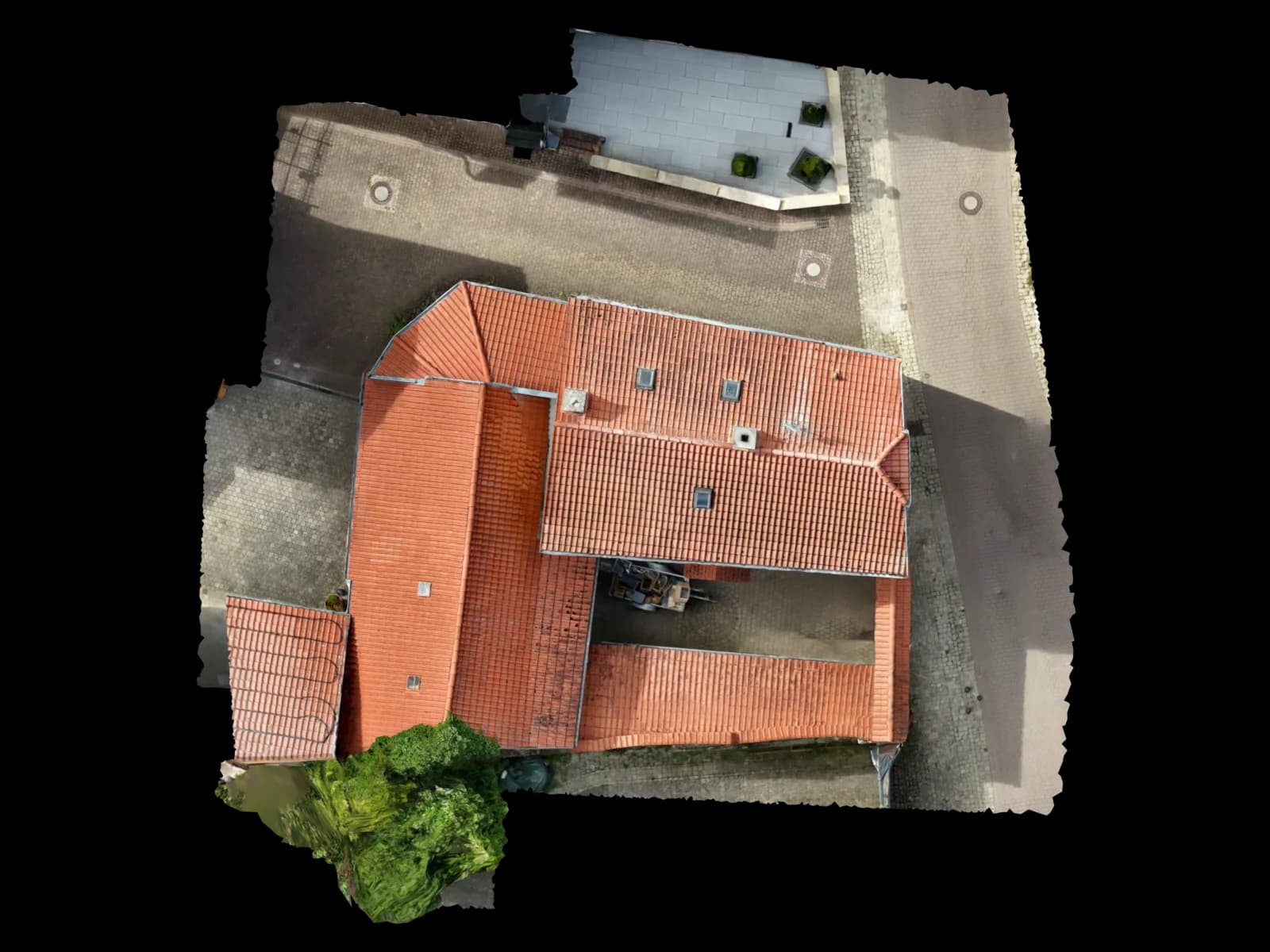
The first result is always a DSM: the point cloud contains roof surfaces, tree canopies, fences, pylons – everything the camera "sees". From this point cloud, the Digital Surface Model is directly interpolated, usually as a GeoTIFF raster at the chosen resolution.
The DTM is created in a second step through classification and ground filtering of the point cloud. "Ground points" are separated from "non-ground points". Only ground points flow into the DTM. For areas with dense vegetation, this step is particularly challenging since the camera can barely see the ground beneath the leaf canopy – here LiDAR has the advantage.
Point Cloud Classification and Ground Filtering
Ground filtering is the central process for deriving a DTM from a photogrammetric point cloud. Common algorithms include the CSF (Cloth Simulation Filter) by Zhang et al. (2016), the Progressive TIN Densification (PTD) algorithm and the Multiscale Curvature Classification (MCC) algorithm.
The CSF algorithm simulates a virtual cloth draping from above onto the inverted point cloud. Points that touch the cloth are classified as ground points. The rigidity of the cloth and the resolution of the simulation grid are the key parameters – softer cloth for hilly terrain, harder for flat areas.
After classification, ground points are interpolated into a regular grid (IDW, Kriging or TIN triangulation), producing the final DTM raster. Point cloud classification is available in Agisoft Metashape, Pix4D, CloudCompare (free) and PDAL (open source).
Important: The quality of the DTM depends directly on the density of ground points. On sealed surfaces (parking lots, roads), classification is trivial. On agricultural fields, open land or construction sites, it delivers excellent results. In densely forested areas, photogrammetric DTM derivation can become unreliable.
DTM vs. DSM vs. nDSM – Structured Comparison
The following table summarizes the three model types by criteria relevant to practice:
| Name | DTM (DGM) | DSM (DOM) | nDSM (nDOM) |
|---|---|---|---|
| Includes Buildings | No | Yes | As height |
| Includes Vegetation | No | Yes | As height |
| Creation | Classification required | Direct from point cloud | DSM − DTM |
| Drainage Planning | Ideal | Unsuitable | Not relevant |
| PV Shading Analysis | Unsuitable | Ideal | Supplementary |
| BIM Terrain Integration | Ideal | Conditionally suitable | Not relevant |
| Tree Height Mapping | Not possible | Basis only | Direct result |
| German Term | DGM | DOM | nDOM |
Accuracy and Quality Levels
Achievable accuracy depends on flight altitude, GSD, georeferencing method (RTK or GCP) and terrain. As a rule of thumb from Pix4D: relative positional accuracy is 1–2× GSD horizontal (X/Y) and 2–3× GSD vertical (Z). With a GSD of 2 cm, this theoretically means ±2–4 cm horizontal and ±4–6 cm vertical.
In practice, a drone with RTK-GNSS (e.g., DJI Phantom 4 RTK, M350 RTK) without GCPs achieves absolute accuracies of ±3–5 cm horizontal and ±5–8 cm vertical. With additional GCPs surveyed via GNSS rover, ±1–2 cm horizontal and ±2–3 cm vertical are realistic – values confirmed in multiple independent validation studies.
German state DTMs (from the surveying authorities) are structured in quality levels: DGM1 (grid size 1 m, accuracy ±15 cm on open terrain, ±30 cm in forested terrain), DGM2 (grid size 2 m), DGM5 (grid size 5 m, accuracy ±1 m, derived from DGM1). The AdV (Working Group of the Surveying Authorities) governs the specification via the ATKIS object catalog.
Drone DTMs significantly outperform public DGM1 data: with RTK and GCPs, ±2–5 cm vertical is achieved versus ±15 cm for DGM1. For most applications in construction, PV planning and BIM, drone DTMs are the more precise choice – though only for the specific project area, not area-wide coverage.
Output Formats and Software
Digital elevation models are delivered in various formats depending on the use case. The most important are:
GeoTIFF is the universal raster format for DTM and DSM. Each pixel contains a height value and the coordinate system is encoded in the file header. GeoTIFF is read by QGIS, ArcGIS, AutoCAD (via plugin), Revit (via add-in) and virtually every GIS and BIM software.
LAS and LAZ are the standard formats for point clouds (LAS = uncompressed, LAZ = compressed with lossless compression). These files separate classified ground points (class 2 in the ASPRS standard) from vegetation (classes 3–5), buildings (class 6) and other objects. CloudCompare, LAStools and PDAL read and write LAS/LAZ.
XYZ and ASCII grids are simple text files with three columns (X, Y, Z coordinate) and are imported directly by many CAD programs (AutoCAD, BricsCAD, ZWCAD). For large areas, however, they are very storage-intensive.
DXF/DWG as TIN mesh or height point cloud is the preferred delivery format for CAD teams working in AutoCAD, Civil 3D or ArchiCAD. Voxelia delivers DTM data as standard GeoTIFF and on request as DXF/DWG with classified layers.
For processing in BIM (Revit, ArchiCAD), the DTM is often delivered as IFC terrain or RVT toposurface. Import is done via the project's coordinate system and requires correct CRS assignment (e.g., ETRS89/UTM32N in Germany).
Applications – Which Model When?
The choice between DTM and DSM depends on the use case. Both models have clearly defined strengths – they are often combined.
PV Planning and Shading Analysis: The DSM is the decisive model here. It shows not only the roof itself but also neighboring buildings, chimneys, antennas and trees that cast shadows. Solar planning software such as PV*SOL Premium, PVcase and Polysun import DSM data as 3D terrain background for yield calculations.
Ground-mounted PV (Agri-PV): The DTM is needed to assess the actual slope and drainage conditions. On open fields without trees and buildings, DTM and DSM are almost identical in practice.
Construction Projects, Earthworks and Volume Calculation: The DTM provides the terrain surface before construction (as-built survey). After earthworks, a second DTM is created. The difference between the two DTMs gives the cut and fill volume – a method significantly faster and cheaper than traditional tacheometry.
BIM Integration: In BIM projects (Revit, ArchiCAD), the DTM is embedded as a georeferenced terrain model (IFC IfcSite or Revit toposurface). The DSM is used supplementarily to depict surrounding structures.
Flood Protection and Drainage Planning: The DTM is the exclusive basis for hydrological calculations. Flow models (e.g., in SWMM, HYSTEM-EXTRAN) require terrain without buildings. A DSM would falsely interpret building roofs as water peaks and distort the simulation.
Urban Planning and Tree Height Mapping: The nDSM shows all objects with their true height above ground. Foresters, urban planners and landscape architects use it to survey tree populations, roof structures and technical installations.