
Why Gaussian Splatting matters for imagery, viewers and digital twins in 2026
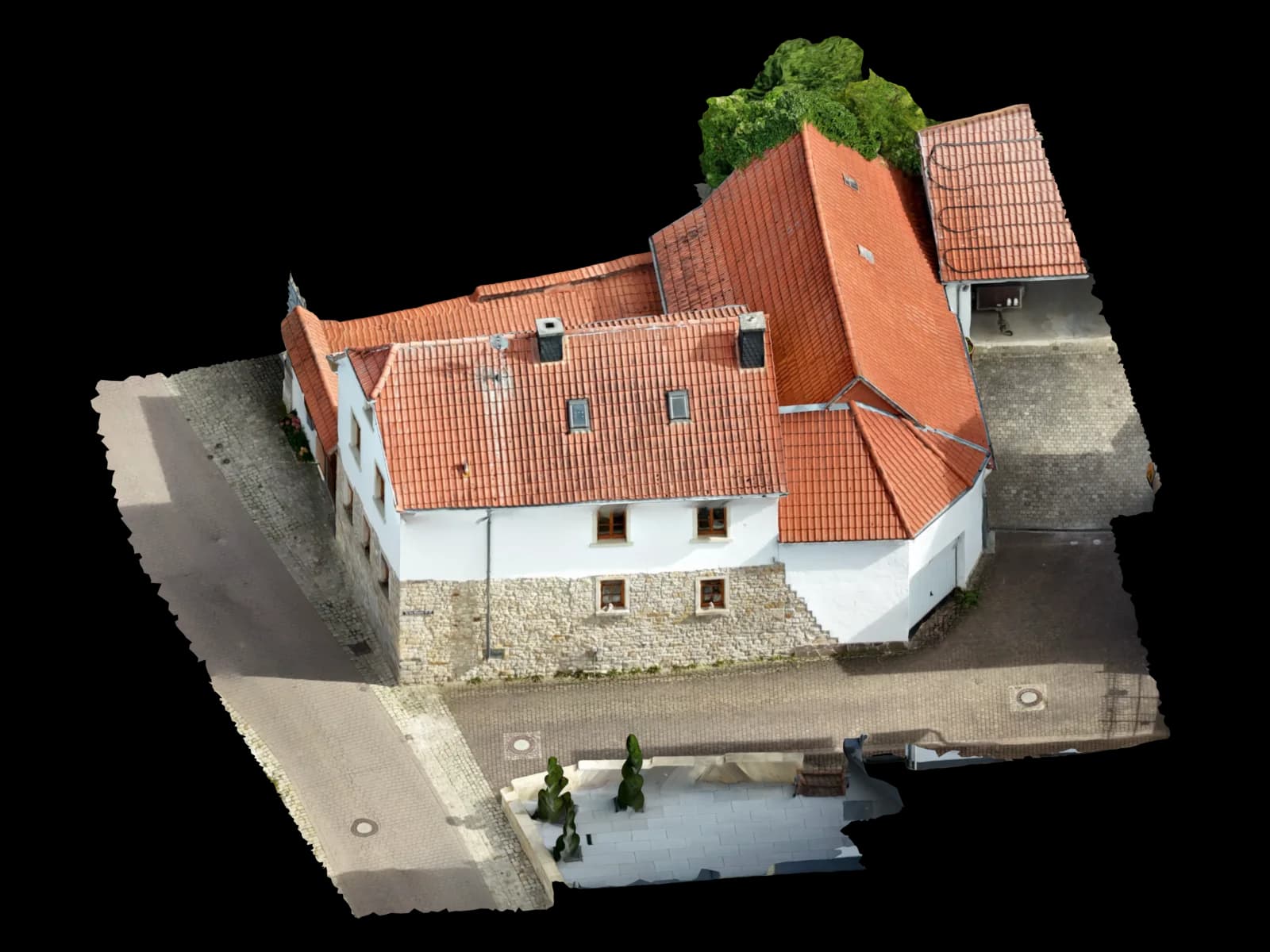
3D Gaussian Splatting is not a drone capture service. It is a way to render a photoreal, freely viewable 3D scene from many images. That fits Voxelia’s core work: reviewing supplied aerial, ground or object imagery and turning it into useful planning or viewer deliverables.
The technical basis is the SIGGRAPH 2023 paper by Kerbl, Kopanas, Leimkühler and Drettakis. The method starts from camera poses and sparse structure familiar from Structure-from-Motion, then optimizes many anisotropic 3D Gaussians for fast photoreal views. Nerfstudio describes the same practical point: splatting works better when initialized from existing COLMAP/SfM points.
The ecosystem is becoming more professional. In April 2026, Cesium introduced Gaussian splats with hierarchical LOD in [3D Tiles](/ratgeber/3d-tiles-photogrammetrie-digital-twin) and CesiumJS. That matters for large web-based digital twin viewers. For planning, however, the key distinction remains: a photoreal splat is not automatically a measured CAD model.
What Gaussian Splats do differently from classic photogrammetry
[Classic photogrammetry](/ratgeber/photogrammetrie-leitfaden-2026) usually reconstructs camera poses, sparse points, a dense point cloud, a mesh or an orthophoto. COLMAP describes this as sparse Structure-from-Motion followed by dense Multi-View Stereo. These outputs fit measurement, CAD, BIM and orthophoto workflows when scale, coordinates and quality control are handled properly.
Gaussian Splatting optimizes many soft, oriented spatial primitives instead of forcing a hard polygon surface as the primary deliverable. Each splat carries position, scale, orientation, color and opacity, which can preserve thin structures, vegetation and difficult visual materials more naturally than a coarse mesh.
The tradeoff is clear: splats are primarily a rendering and viewer format. Nerfstudio documents trained splat export as PLY for splat viewers and notes that mesh or [point cloud export](/ratgeber/e57-las-rcp-punktwolke-cad-bim) from splats is not currently supported there.
Splats, meshes, point clouds, orthophotos and CAD compared
Solar installers, roofers, architects and planners need the right deliverable. A Gaussian Splat can explain what an existing site looks like. Module layouts, DXF/DWG layers, BIM surfaces, orthophoto measurements and approval documents still need structured, inspectable geometry.
| Output | Strong for | Weak for | Typical delivery format |
|---|---|---|---|
| Gaussian Splat | Photoreal viewer, difficult visual details, fast spatial communication | No CAD layers, no building element logic, limited direct measurement and modeling | Viewer link, PLY/SPZ or 3D Tiles visualization depending on toolchain |
| Textured mesh | Good for 3D viewers, simple surface review and object context | Edges and planes often need cleanup or vectorization for CAD | OBJ, GLB, FBX or web viewer |
| Point cloud | Existing conditions, plane review, BIM-oriented derivation, control measurements | Harder to read for non-specialists and often requires modeling | LAS, LAZ, E57 or PLY |
| Orthophoto / orthoplane | Planar measurement, roof and facade surfaces, mapping, CAD underlay | Only useful for defined planes or surfaces, not a full 3D scene | GeoTIFF, JPG/PNG with scale, DXF reference or PDF |
| CAD / BIM model | Planning geometry, layers, elements and editing in specialist software | Requires more interpretation and modeling than pure reconstruction | DXF, DWG, IFC, RVT-oriented delivery or modeled surfaces |
When Gaussian Splatting makes sense for Voxelia projects
Gaussian Splatting is strongest when the goal is visual communication: client review, construction comparison, facade context, difficult materials, vegetation, technical assets or a digital twin viewer.
Cesium points in this direction: photoreal 3D content can become streamable through 3D Tiles with level of detail. For Voxelia, that is useful when supplied imagery should produce a clear viewer in addition to classic planning deliverables.
In practice, a splat is often best as a companion to a mesh, point cloud or CAD model. The splat shows what the existing site looks like; the technical deliverable carries the geometry.
| Project goal | Recommendation | Why |
|---|---|---|
| Stakeholders need to understand the site visually | Gaussian Splat or textured mesh | Photoreal presentation matters more than layer structure. |
| PV planning with roof surfaces and edges | Mesh/point cloud plus modeled roof model | Planning needs clean surfaces, edges and inspectable geometry. |
| Visual facade documentation | Splat plus orthoplane or mesh | The splat provides context; the orthoplane or mesh provides reference. |
| BIM or CAD editing | Point cloud, DXF/DWG or BIM-oriented delivery | CAD/BIM needs structured editable geometry. |
Where Gaussian Splats are not enough for planning, CAD and BIM
The central limitation is simple: Gaussian Splats are not automatically vectorized building elements. A roof edge is not automatically a CAD polyline. A facade is not automatically a plane. A window is not automatically a BIM object.
[Metric quality](/ratgeber/photogrammetrie-genauigkeit) must also be assessed separately. Splats may be based on good camera poses, but the visual result does not replace control points, scale checks or quality reporting. CAD, orthophotos and BIM still depend on GSD, calibration, checkpoints and coordinate reference.
Format maturity also matters. PLY splats are usable in many viewers but are not a standard delivery format for architecture or PV software. Cesium’s work around glTF extensions, SPZ compression and 3D Tiles shows interoperability is improving, but production deliveries still need deliberate choices.
Workflow: from supplied images to splats, models or planning data
The right workflow starts with the intended use, not with the trend format. The same image set can become a viewer splat, textured mesh, point cloud, orthophoto or CAD deliverable depending on quality and goal.
Review imagery and target output
We check overlap, sharpness, EXIF/XMP data, viewpoints, scale references and intended use, separating viewer goals from measured planning goals.
Stabilize the SfM basis
Stable camera poses matter for splats and classic photogrammetry. Weak images may be removed, subsets separated or control information added.
Derive the right output
Depending on the goal, the deliverable may be a photoreal splat, mesh, point cloud, orthophoto or CAD/BIM-oriented delivery.
Check planning suitability
For technical deliveries we review not just appearance, but edges, planes, scale, coordinates and software usability.
Recommended deliverables: when splat, when mesh, when CAD/BIM
For a digital twin viewer, site comparison or visual approval, a Gaussian Splat can be a strong additional deliverable. For solar installers, roofers and planners, it is most valuable when paired with technical outputs.
PV planning still benefits from a modeled roof with clear surfaces, obstructions, pitch and edges. CAD deliveries need DXF/DWG layers, orthophotos or vectorized linework. BIM remains closer to point clouds or modeled IFC-oriented outputs.
Best practice is not either-or: splats for seeing and understanding, mesh/point cloud/orthophoto/CAD for planning.