
What a facade orthophoto from supplied images can do
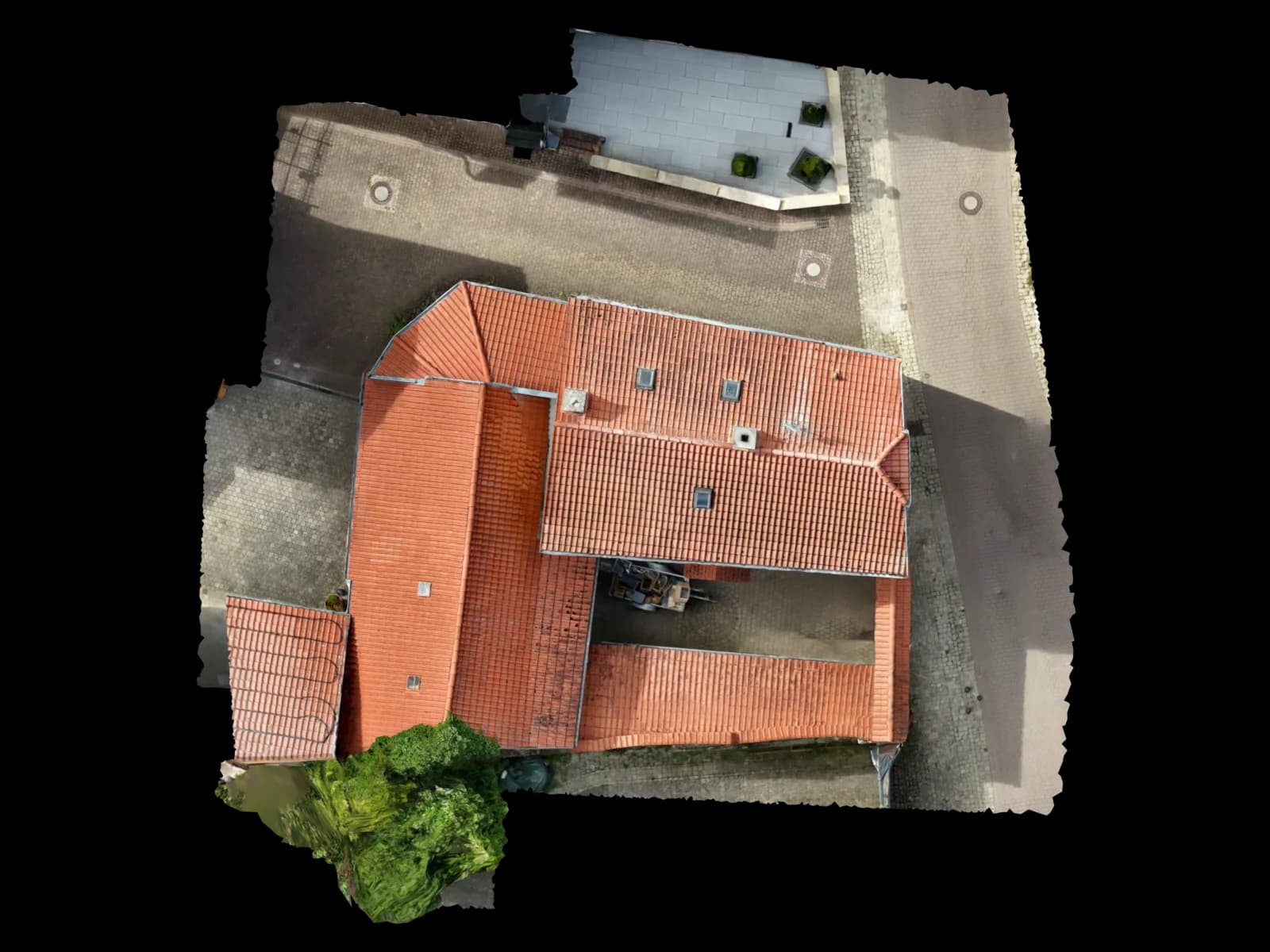
A facade orthophoto, often called an orthoplane or rectified facade image, projects a facade onto a defined plane at scale. It is useful for CAD tracing, renovation planning, damage mapping, quantities and documentation.
Pix4D describes orthomosaic generation as orthorectification based on a model, correcting perspective and scale differences caused by camera distance. For facades, the same concept is applied to a vertical or user-defined plane.
Voxelia uses this primarily as a delivery from supplied imagery: a planning-ready 2D base, CAD layer, documentation raster, viewer companion or quality-controlled input for further modeling.
Orthophoto, orthoplane, stitching and 3D model
Pix4D separates photo stitching from orthomosaic generation. Stitching can look good, but it preserves distances reliably only in very flat scenes. Orthorectification uses a surface model to correct perspective and scale.
Agisoft documents planar orthomosaic projection for facades and similar vertical surfaces in Metashape. A model or DEM is required, and the projection plane can be defined by view or markers.
| System / dataset | Suitability | Best for | Practical note |
|---|---|---|---|
| Rectified single image | limited | small planar details | Works with a flat detail and a reference dimension, but is weak for full facades. |
| Stitched panorama | visual only | overview documentation | Looks useful but can distort measurements on non-flat surfaces. |
| Facade orthoplane from 3D reconstruction | strong for planar facades | CAD tracing, quantities, damage mapping | The plane must be defined deliberately. |
| 3D model or point cloud | better for complex geometry | BIM, digital twins, non-planar facades | Use when depth and connections matter. |
Which images are good enough
Supplied drone images, camera photos, scaffold photos or mixed ground and aerial imagery can work if the facade is sharp, sufficiently overlapping, well exposed and supported by scale references.
Agisoft describes the familiar reconstruction flow: align photos, build point cloud or model, then build the orthomosaic. In practice, the facade needs repeated visible features across enough images.
Scale references are essential. They can be measured facade dimensions, scale bars, markers, GCPs or reliable existing CAD dimensions.
Workflow from photos to CAD-ready orthoplane
Voxelia starts by defining the target output: reference raster, CAD base, damage mapping, quantities or BIM-oriented delivery.
Assess images and output
We check originals, EXIF/XMP, sharpness, overlap, facade coverage, scale references and difficult surfaces.
Build reconstruction
Camera alignment, point cloud or mesh provide the geometry needed for orthorectification.
Define projection plane
For planar facade areas, markers or references stabilize the orthoplane plane.
Export orthoplane
The result is exported as a scaled raster, PDF base, CAD reference or georeferenced format.
Add CAD or viewer delivery
Voxelia can add DXF/DWG layers, 3D viewer context or documented delivery packages.
Typical facade orthophoto errors
Pix4D notes that point cloud noise and DSM errors can be reflected in orthomosaics, especially near building edges. Facades show similar risks around recesses, balconies, shadows and foreground objects.
Voxelia separates visual documentation, scaled CAD bases and 3D deliveries because each has a different tolerance for these artifacts.
| Risk scenario | Why it matters | Typical symptom | Countermeasure |
|---|---|---|---|
| Balconies and deep recesses | A plane reduces real depth | shifted edges or stretched areas | Use separate orthoplanes or a 3D model. |
| Smooth or reflective facades | Photogrammetry needs stable image features | holes or unstable texture | Add images, references or combine with point cloud data. |
| Panorama used as measurement base | Stitching does not reliably preserve distances | good visual result but wrong CAD dimensions | Use 3D reconstruction and a defined projection plane. |
| Missing scale | The model cannot be measured dependably | plausible but wrong lengths | Add reference measures, scale bars or CAD dimensions. |
Formats for CAD, BIM and documentation
GeoTIFF is an important raster delivery format. The OGC defines GeoTIFF 1.1 as a TIFF-based exchange format for georeferenced or geocoded imagery.
Not every facade plan needs full georeferencing. Many renovation and damage mapping workflows only need a scaled local plane with a documented origin, resolution and PDF/DXF delivery.
Voxelia delivers the output according to use: GeoTIFF, TIFF/JPG/PDF, DXF/DWG layers, mesh, point cloud or browser viewer.
When Voxelia delivers orthoplane, 3D model or both
An orthoplane is ideal for largely planar facades: plaster areas, window axes, damage mapping, facade panels, quantities and renovation bases.
A 3D model is stronger for roofs, parapets, balconies, complex connections, tilted surfaces and BIM-oriented existing-condition models.
Customers can supply existing images. Voxelia checks whether an orthoplane, CAD delivery, 3D model or combination is technically and economically sensible.